

🧑💻 Interactive Information Access and Debugging#
We designed a very informative (and good-looking, hopefully) interface for accessing internal information and all the available attributes of objects created in Genesis, implemented via the __repr__() method for all the Genesis classes. This feature will be very useful if you are used to debugging via either IPython or pdb or ipdb.
Let’s use IPython in this example. Install it via pip install ipython if you don’t have it. Let’s go through a simple example here:
import genesis as gs

gs.init()

scene = gs.Scene(show_viewer=False)

plane = scene.add_entity(gs.morphs.Plane())
franka = scene.add_entity(
    gs.morphs.MJCF(file='xml/franka_emika_panda/panda.xml'),
)

cam_0 = scene.add_camera()
scene.build()

# enter IPython's interactive mode
import IPython; IPython.embed()
You can either run this script directly (if you have IPython installed), or you can just enter an IPython interactive window in terminal and past the code here without the last line.
In this small block of code, we added a plane entity and a Franka arm. Now, if you are a newbie, you would probably be wondering what a scene actually contains. If you simply type scene in IPython (or ipdb or pdb or even a native python shell), you will see everything inside the scene, formatted and colorized nicely:
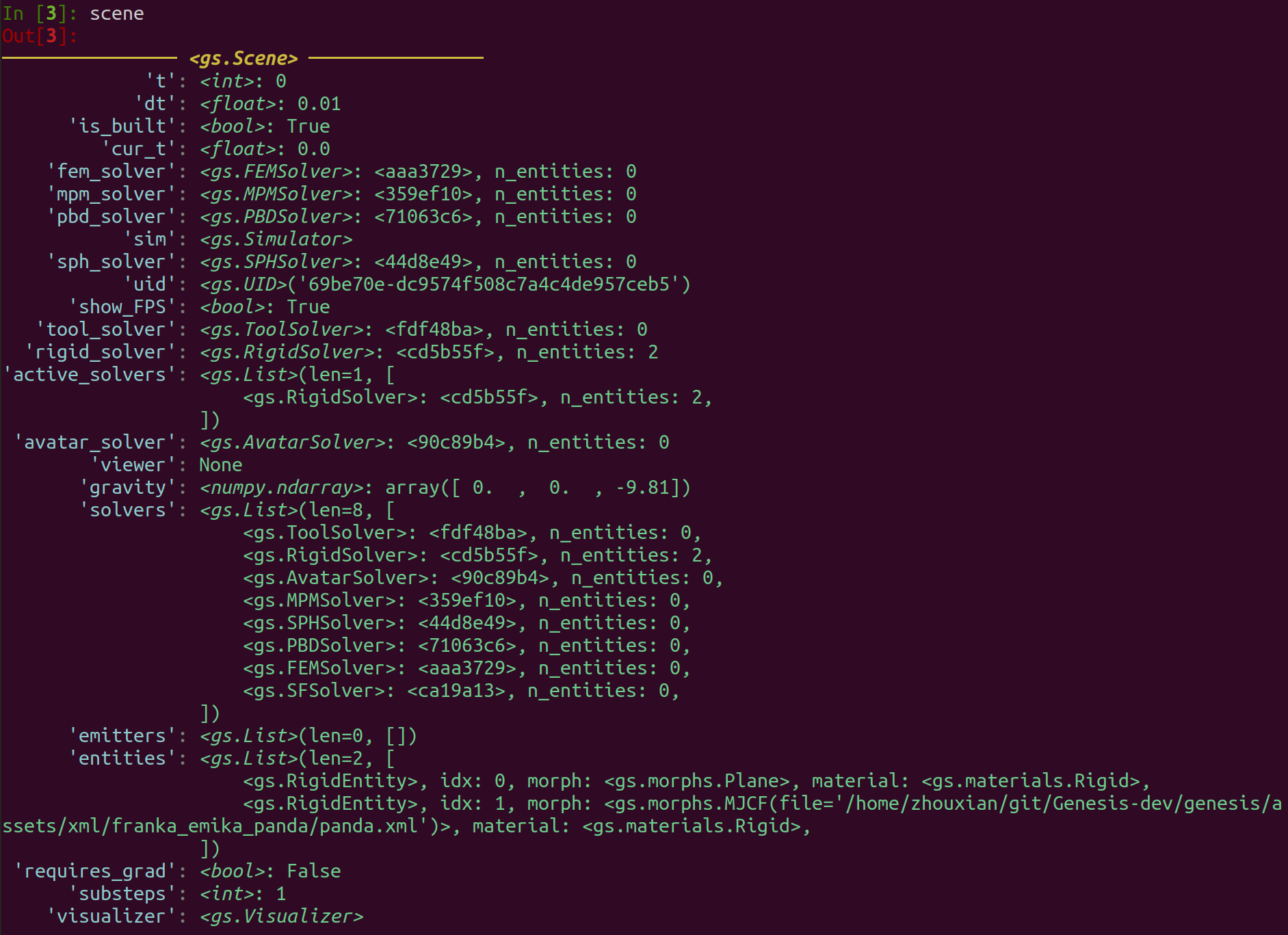
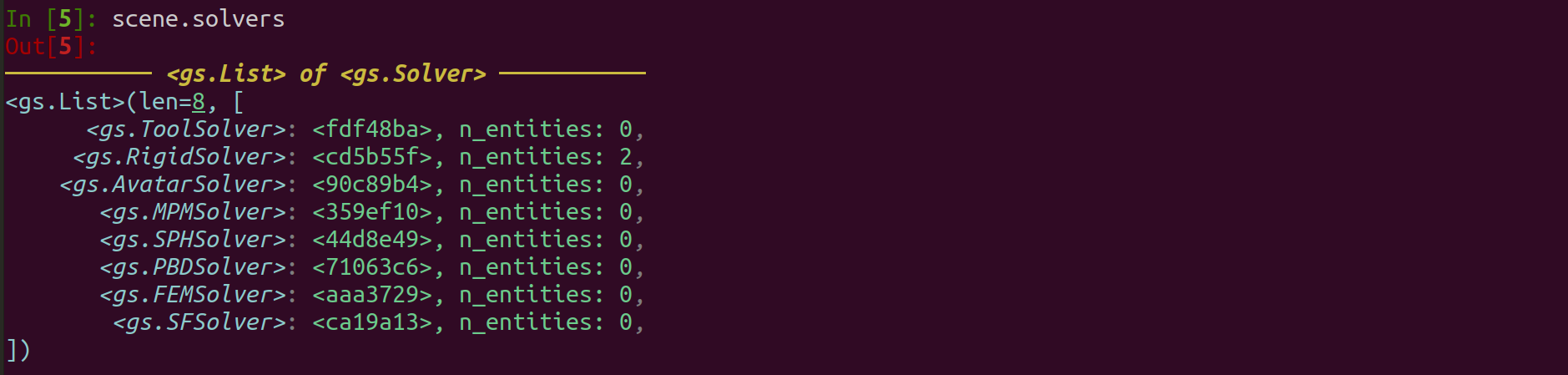
In the top line, you will see the type of the object (<gs.Scene> in this case). Then you will see all the available attributes inside it. For example, it tells you that the scene is built (is_built is True), its timestep (dt) is a float of value 0.01 seconds, and it unique id (uid) is '69be70e-dc9574f508c7a4c4de957ceb5'. The scene also has an attribute called solvers, which is essentially a list of different physics solvers it has. You can further type scene.solvers inside the shell and inspect this list, which is implemented using a gs.List class for better visualization:
You can also inspect the Franka entity:
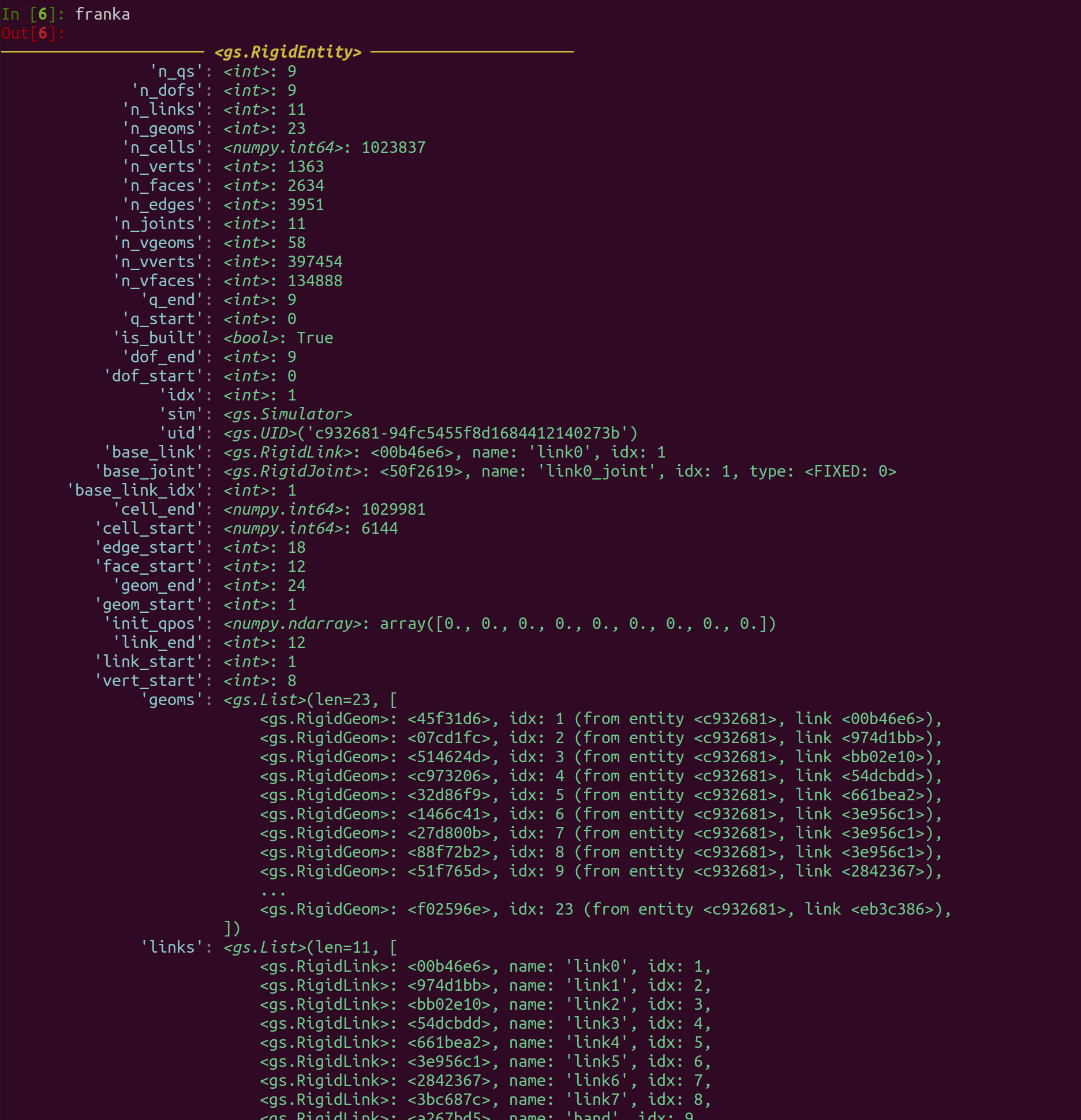
Here you would see all the geoms and links it has and associated information. We can go one layer deeper, and type franka.links[0]:
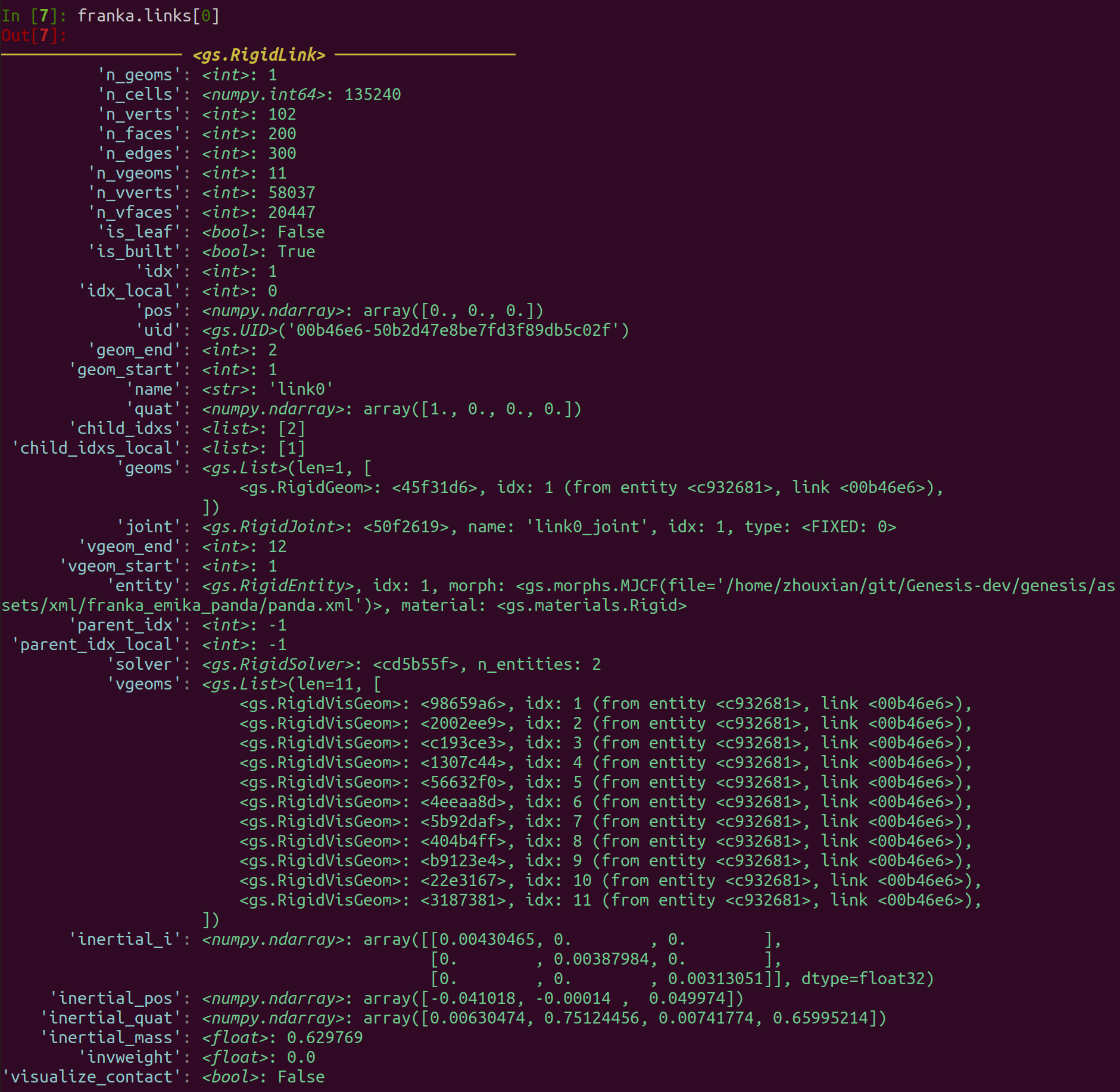
Here you will see all the collision geoms (geoms) and visual geoms (vgeoms) included in the link, and other important information such as its intertial_mass, the link’s global index in the scene (idx), which entity it belongs to (entity, which is the franka arm entity), its joint (joint), etc.
We hope this informative interface can make your debugging process easier!