

🚀 Parallel Simulation#
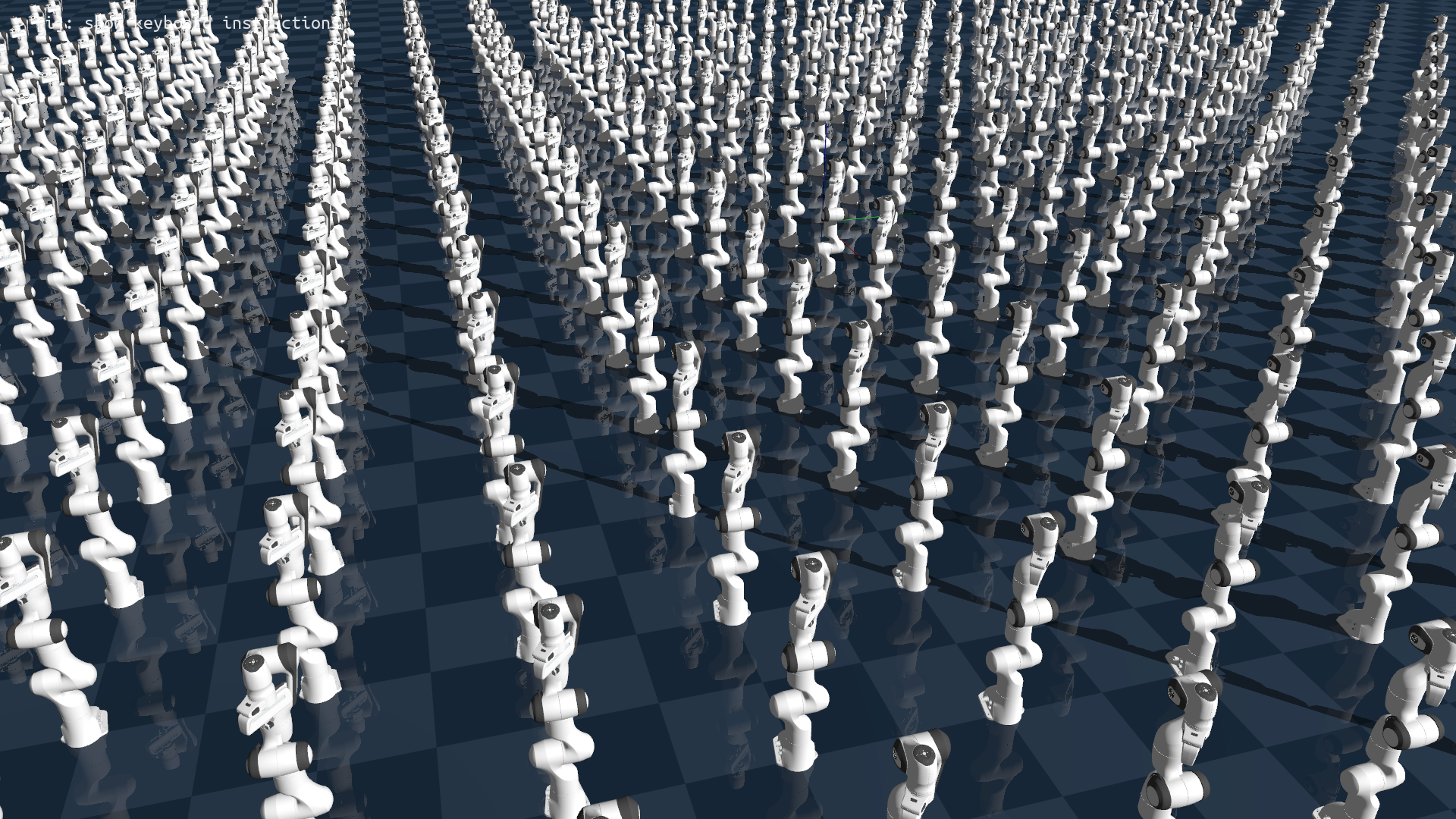
The biggest advantage of using GPU to accelerate simulation is to enable scene-level parallelism, so that we can train robots in thousands of environments simultaneously.
In Genesis, creating parallel simulation is as simple as you would imagine: when building your scene, you simply add an additional parameter n_envs to tell the simulator how many environments you want. That’s it.
Note that in order to mimic the name convention in learning literature, we will also use the term batching to indicate the parallelization operation.
Example script:
import genesis as gs
import torch

########################## init ##########################
gs.init(backend=gs.gpu)

########################## create a scene ##########################
scene = gs.Scene(
    show_viewer    = True,
    viewer_options = gs.options.ViewerOptions(
        camera_pos    = (3.5, -1.0, 2.5),
        camera_lookat = (0.0, 0.0, 0.5),
        camera_fov    = 40,
    ),
    rigid_options = gs.options.RigidOptions(
        dt                = 0.01,
    ),
)

########################## entities ##########################
plane = scene.add_entity(
    gs.morphs.Plane(),
)

franka = scene.add_entity(
    gs.morphs.MJCF(file='xml/franka_emika_panda/panda.xml'),
)

########################## build ##########################

# create 20 parallel environments
B = 20
scene.build(n_envs=B, env_spacing=(1.0, 1.0))

# control all the robots
franka.control_dofs_position(
    torch.tile(
        torch.tensor([0, 0, 0, -1.0, 0, 0, 0, 0.02, 0.02], device=gs.device), (B, 1)
    ),
)

for i in range(1000):
    scene.step()
The above script is almost identical to the example you see in Hello, Genesis, except scene.build() is now appended with two extra parameters:
n_envs: this specifies how many batched environments you want to createenv_spacing: the spawned parallel envs share identical states. For visualization purpose, you can specify this parameter to ask the visualizer to distribute all the envs in a grid with a distance of (x, y) in meters between each env. Note that this only affects the visualization behavior, and doesn’t change the actual position of the entities in each env.
Control the robots in batched environments#
Recall that we use APIs such as franka.control_dofs_position() in the previous tutorials. Now you can use the exact same API to control batched robots, except that the input variable needs an additional batch dimension:
franka.control_dofs_position(torch.zeros(B, 9, device=gs.device))
Since we are running simulation on GPU, in order to reduce data transfer overhead between cpu and gpu, we can use torch tensors selected using gs.device instead of numpy arrays (but numpy array will also work). This could bring noticeable performance gain when you need to send a tensor with a huge batch size frequently.
The above call will control all the robots in the batched envs. If you want to control only a subset of environments, you can additionally pass in envs_idx, but make sure the size of the position tensor’s batch dimension matches the length of envs_idx:
# control only 3 environments: 1, 5, and 7.
franka.control_dofs_position(
    position = torch.zeros(3, 9, device=gs.device),
    envs_idx = torch.tensor([1, 5, 7], device=gs.device),
)
This call will only send a zero-position command to 3 selected environments.
Enjoy a futuristic speed!#
Genesis supports up to tens of thousands of parallel environments, and unlocks unprecedented simulation speed this way. Now, let’s turn off the viewer, and change batch size to 30000 (consider using a smaller one if your GPU has a relatively small vram):
import torch
import genesis as gs

gs.init(backend=gs.gpu)

scene = gs.Scene(
    show_viewer   = False,
    rigid_options = gs.options.RigidOptions(
        dt                = 0.01,
    ),
)

plane = scene.add_entity(
    gs.morphs.Plane(),
)

franka = scene.add_entity(
    gs.morphs.MJCF(file='xml/franka_emika_panda/panda.xml'),
)

scene.build(n_envs=30000)

# control all the robots
franka.control_dofs_position(
    torch.tile(
        torch.tensor([0, 0, 0, -1.0, 0, 0, 0, 0.02, 0.02], device=gs.device), (30000, 1)
    ),
)

for i in range(1000):
    scene.step()
Running the above script on a desktop with RTX 4090 and 14900K gives you a futuristic simulation speed – over 43 million frames per second, this is 430,000 faster than real-time. Enjoy!

Tip
FPS logging: By default, genesis logger will display real-time simulation speed in the terminal. You can disable this behavior by setting scene.profiling_options.show_FPS=False when creating the scene.